Guide
Farm to Table Tomato Season Quest Guide
A gameplay-backed walkthrough for the early Tomato Season objective: buy tomato fields, water crops, harvest tomatoes, cook a dish, and prepare the menu.
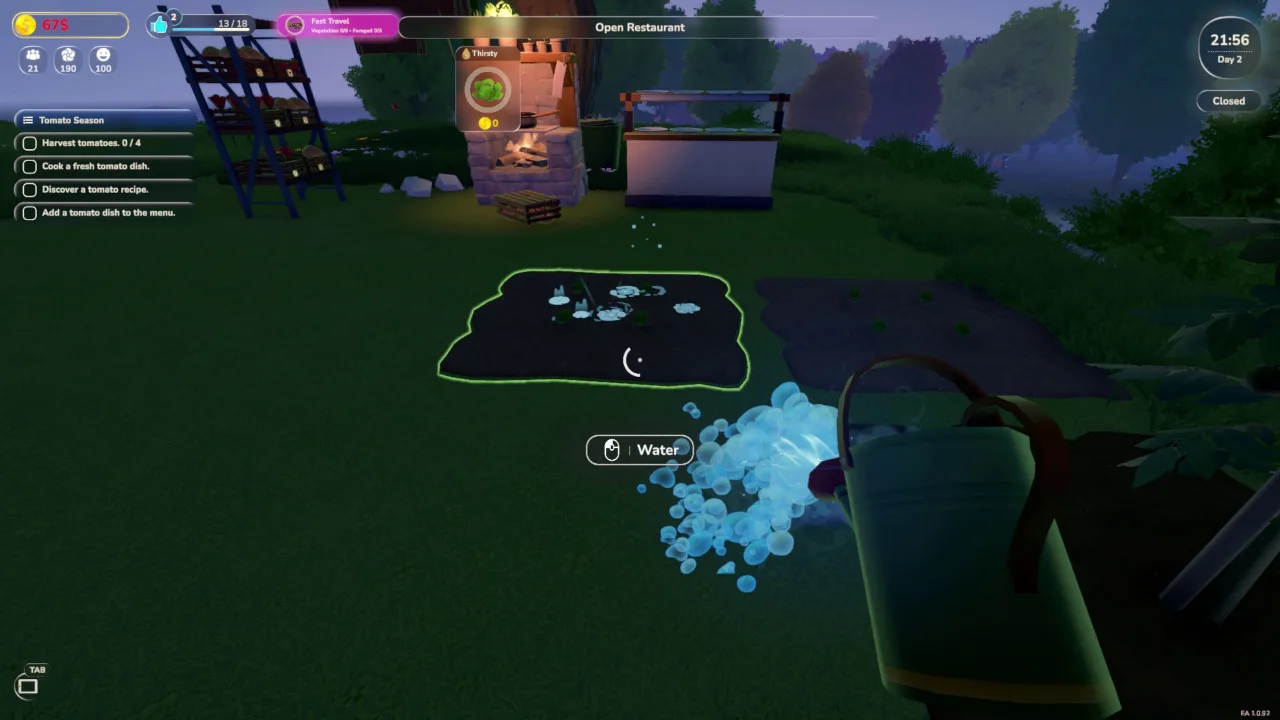
Gameplay-backed guide: based on recorded Day 2 and Day 3 footage from May 29, 2026.
What the quest asks you to do
- The visible Tomato Season checklist moves from field setup into watering, harvesting, cooking, recipe discovery, and menu setup.
- The recording shows two tomato fields being placed before the watering step is completed.
- The later Day 3 checklist asks for four harvested tomatoes before the cooking and menu steps are finished.
Safe route for this objective
- Buy the tomato fields first, then water them before spending time on restaurant service.
- Keep a shelf or crate space near the cooking station so harvested tomatoes do not get scattered around the build area.
- Do not open a long service window while the quest ingredient is still sitting in the field or far from the stove.
- After the cooking step is done, check the menu task separately; cooking a dish and adding it to the menu are different jobs.
What still needs verification
- Record the exact tomato field cost and whether it changes after later research.
- Repeat the quest once more to confirm the harvest count and whether watering timing affects growth.
- Verify the tomato recipe name and ingredient list before adding it to the public recipe database.
Source notes
- Evidence: local gameplay recording FarmToTable 2026-05-28 23-59-50.mp4.
- The footage shows Early Access build EA 1.0.92; objectives, costs, and recipe behavior may change.